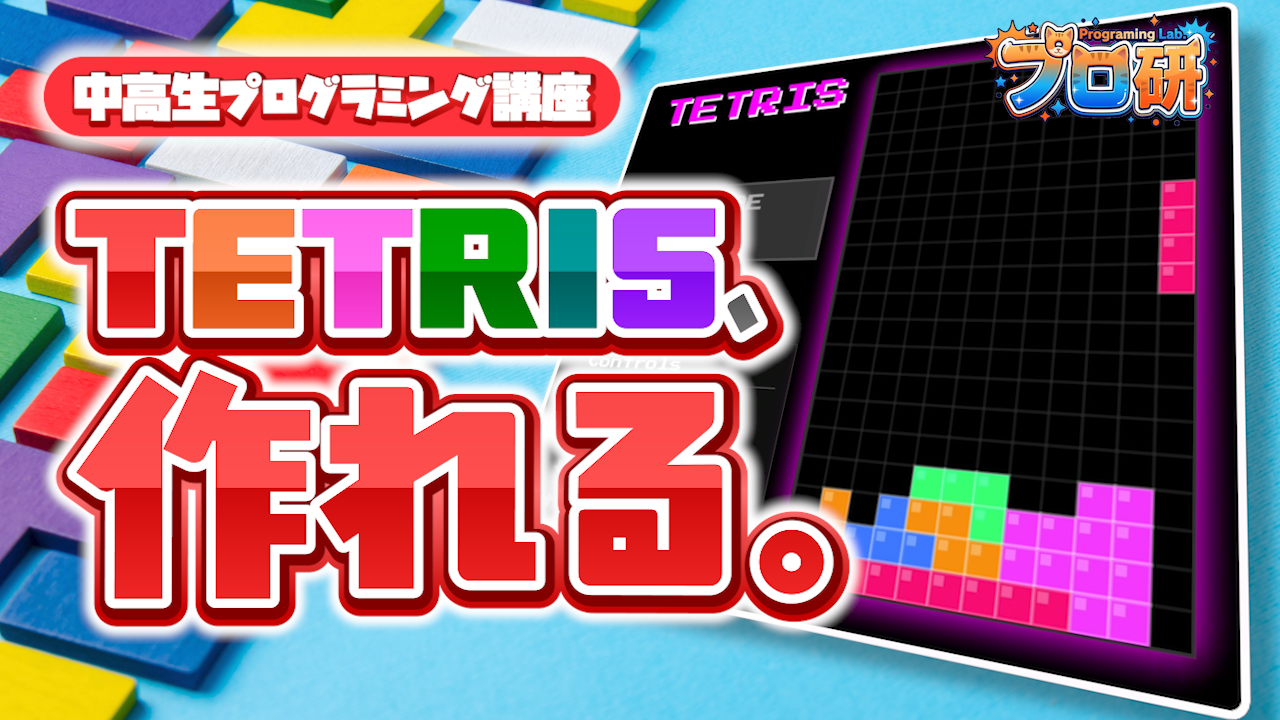
HTML・CSS・JavaScriptだけで、ブラウザで動くテトリスを完成させるチュートリアルです。
パーティクルや画面シェイクも実装して、本格的なゲームに仕上げよう。
⏱ 読了:約20分 🎯 対象:プログラミング初心者〜
📋 もくじ
- 完成するとどうなる?
- 準備するもの
- ファイル構成を作ろう
- HTMLを書こう
- CSSでデザインしよう
- JavaScriptの基本を書こう
- テトリミノを定義しよう
- ゲームロジックを作ろう
- エフェクトを追加しよう
- 動かしてみよう
- 次のステップ
- 完成コード全文
完成するとどうなる?
この記事を最後まで読むと、ブラウザ上で動くテトリスが完成します。ただのテトリスじゃなくて、こんな機能がついています:
- テトリミノ(ブロック)が落ちてきて、左右移動・回転・ハードドロップができる
- 列がそろったらパーティクル(キラキラ)が飛び散る
- ブロックを消すと画面がブルッと揺れる(画面シェイク)
- 「TETRIS!!!!」みたいなコンボテキストが表示される
- スコアが加算されていく
使うのは HTML・CSS・JavaScript の3つだけ。特別なライブラリやフレームワークは使いません。Web開発の基礎がそのまま身につきます!
準備するもの
以下の2つだけ用意してください。
- テキストエディタ(VS CodeやAntigravityがおすすめ)
- Webブラウザ(Chrome、Edge、Safariなど何でもOK)
VS CodeやAntigravityのダウンロード・インストール方法は別の記事で解説しています。まだの人はそちらを先にチェックしてね。
ファイル構成を作ろう
まず、パソコンのどこかにフォルダを1つ作ります。名前は tetris にしましょう。その中に3つのファイルを作ります。
tetris/
    index.html ─ 画面の構造
    style.css ─ 見た目のデザイン
index.js ─ ゲームの動き(ロジック)Webページは基本的にこの3つの役割分担でできています。HTMLが骨組み、CSSが見た目、JavaScriptが動き。この構成はテトリスに限らず、どんなWebサイトでも同じです。
HTMLを書こう
index.html を開いて、以下のコードを書いてください。これがゲーム画面の「骨組み」です。
<!DOCTYPE html>
<html lang="ja">

<head>
    <meta charset="UTF-8">
    <meta name="viewport" content="width=device-width, initial-scale=1.0">
    <title>Tetris Game</title>
    <link rel="stylesheet" href="style.css">
    <link href="https://fonts.googleapis.com/css2?family=Press+Start+2P&display=swap" rel="stylesheet">
</head>

<body>
    <div class="game-container">
        <div class="game-info">
            <h1>TETRIS</h1>
            <div class="score-box">
                <h2>SCORE</h2>
                <div id="score">0</div>
            </div>
            <div class="controls-info">
                <h3>Controls</h3>
                <p>← → : Move</p>
                <p>Space : Rotate</p>
                <p>↓ : Soft Drop</p>
                <p>↑ : Hard Drop</p>
            </div>
            <button id="start-btn">START GAME</button>
        </div>
        <canvas id="tetris" width="240" height="400"></canvas>
    </div>
    <script src="index.js"></script>
</body>

</html>
HTMLのポイント解説
<canvas> タグがこのゲームの主役です。<canvas> は「自由に絵が描ける画用紙」みたいなもので、JavaScriptから図形や色をどんどん描いていきます。width="240" height="400" で画用紙のサイズを決めています。
Google Fontsで「Press Start 2P」というレトロゲーム風フォントを読み込んでいます。これで一気にゲームっぽい雰囲気が出ます。
最後の <script src="index.js"> でJavaScriptファイルを読み込みます。これは <body> の最後に書くのがポイント。HTMLの読み込みが終わってからJSを実行するためです。
CSSでデザインしよう
style.css にゲームの見た目を書いていきます。ダークなゲーミング風デザインにします。
/* 背景をゆっくり明滅させるアニメーション */
@keyframes bg-pulse {
    0%, 100% {
        background: #202028;
    }
    50% {
        background: #252530;
    }
}

body {
    background: #202028;
    color: #fff;
    font-family: 'Press Start 2P', cursive;
    display: flex;
    justify-content: center;
    align-items: center;
    min-height: 100vh;
    margin: 0;
    animation: bg-pulse 4s ease-in-out infinite;
}

.game-container {
    display: flex;
    gap: 20px;
    padding: 20px;
    border: 4px solid #fff;
    border-radius: 10px;
    background-color: #000;
    box-shadow: 0 0 20px rgba(0, 0, 0, 0.5);
}

.game-info {
    display: flex;
    flex-direction: column;
    justify-content: space-between;
    text-align: right;
    width: 200px;
}

h1 {
    font-size: 32px;
    margin: 0 0 20px 0;
    color: #f0f;
    text-shadow: 2px 2px #fff;
    text-align: center;
}

.score-box {
    background: #333;
    padding: 10px;
    border: 2px solid #555;
    margin-bottom: 20px;
    text-align: center;
}

.score-box h2 {
    font-size: 16px;
    margin: 0 0 10px 0;
    color: #aaa;
}

#score {
    font-size: 24px;
    color: #fff;
}

.controls-info {
    font-size: 10px;
    color: #aaa;
    line-height: 1.6;
    text-align: left;
    background: #111;
    padding: 10px;
    border: 1px solid #333;
}

.controls-info h3 {
    margin-top: 0;
    color: #fff;
    border-bottom: 1px solid #555;
    padding-bottom: 5px;
}

/* キャンバスの光るエフェクト */
@keyframes canvas-glow {
    0%, 100% {
        box-shadow: 0 0 5px rgba(255, 0, 255, 0.5),
                    0 0 10px rgba(255, 0, 255, 0.3);
    }
    50% {
        box-shadow: 0 0 20px rgba(255, 0, 255, 0.8),
                    0 0 30px rgba(255, 0, 255, 0.5);
    }
}

canvas {
    border: 2px solid #333;
    background-color: #000;
    display: block;
    animation: canvas-glow 3s ease-in-out infinite;
}

button {
    background: #f0f;
    color: #fff;
    border: none;
    padding: 15px;
    font-family: 'Press Start 2P', cursive;
    font-size: 14px;
    cursor: pointer;
    margin-top: 20px;
    transition: background 0.2s;
}

button:hover {
    background: #b0b;
}

button:active {
    transform: translateY(2px);
}
CSSのポイント解説
@keyframes はアニメーションを定義する書き方です。bg-pulse では背景色を微妙に変化させて「呼吸しているような」演出を作っています。canvas-glow ではゲーム画面の周りがピンクに光る効果を出しています。
display: flex は要素を横並びにするCSSのテクニック。.game-container でスコア表示とゲーム画面を横に並べています。
JavaScriptの基本を書こう
ここからがメインです! index.js にゲームのプログラムを書いていきます。まずはCanvasの準備から。
// HTMLからCanvas要素を取得
const canvas = document.getElementById("tetris");
const context = canvas.getContext("2d");
const scoreElement = document.getElementById("score");
const startBtn = document.getElementById("start-btn");

// 1マスを20ピクセルに拡大
context.scale(20, 20);

// テトリミノの色リスト
const colors = [
  null,
  "#FF0D72",  // T
  "#0DC2FF",  // I
  "#0DFF72",  // S
  "#F538FF",  // Z
  "#FF8E0D",  // L
  "#FFE138",  // O
  "#3877FF",  // J
];
ここで何をしてる?
getContext("2d") で、Canvasに2Dの絵を描く「ペン」を手に入れます。context.scale(20, 20) をすると、座標の1マスが20ピクセルに拡大されます。つまり (1, 1) と書くだけで実際には (20, 20) の位置になる。これでブロックのサイズ計算がすごく楽になります。
colors 配列の null は「空マス」用。index 1〜7 がそれぞれのテトリミノの色に対応しています。
テトリミノを定義しよう
テトリスのブロック(テトリミノ)は全部で7種類。それぞれを「2次元配列」で表現します。
function createPiece(type) {
  if (type === "I") {
    return [
      [0, 1, 0, 0],
      [0, 1, 0, 0],
      [0, 1, 0, 0],
      [0, 1, 0, 0],
    ];
  } else if (type === "L") {
    return [
      [0, 2, 0],
      [0, 2, 0],
      [0, 2, 2],
    ];
  } else if (type === "J") {
    return [
      [0, 3, 0],
      [0, 3, 0],
      [3, 3, 0],
    ];
  } else if (type === "O") {
    return [
      [4, 4],
      [4, 4],
    ];
  } else if (type === "Z") {
    return [
      [5, 5, 0],
      [0, 5, 5],
      [0, 0, 0],
    ];
  } else if (type === "S") {
    return [
      [0, 6, 6],
      [6, 6, 0],
      [0, 0, 0],
    ];
  } else if (type === "T") {
    return [
      [0, 7, 0],
      [7, 7, 7],
      [0, 0, 0],
    ];
  }
}
2次元配列って何?
配列の中に配列が入っているものです。たとえばT型テトリミノはこう読みます:
// 数字を■に置き換えるとこうなる:
//   [0, 7, 0]  →   ■
//   [7, 7, 7]  →  ■■■
//   [0, 0, 0]  →
// 0は空白、7は「色番号7で塗る」という意味
この数字がそのまま colors 配列のインデックスに対応しています。7なら colors[7] = 青色で描画されます。
ゲームロジックを作ろう
ここではテトリスの核となる仕組みを作ります。やることは大きく4つです。
ゲーム盤(arena)を作る
// 12列 × 20行のゲーム盤を作る(すべて0で埋める)
function createMatrix(w, h) {
  const matrix = [];
  while (h--) {
    matrix.push(new Array(w).fill(0));
  }
  return matrix;
}

const arena = createMatrix(12, 20);
arena が盤面全体を表す2次元配列です。0 = 空、1〜7 = ブロックの色番号。テトリミノが着地すると、ここに色番号が書き込まれます。
衝突判定(collide)
function collide(arena, player) {
  const [m, o] = [player.matrix, player.pos];
  for (let y = 0; y < m.length; ++y) {
    for (let x = 0; x < m[y].length; ++x) {
      if (m[y][x] !== 0 &&
          (arena[y + o.y] && arena[y + o.y][x + o.x]) !== 0) {
        return true;
      }
    }
  }
  return false;
}
テトリミノが壁や他のブロックにぶつかっていないかチェックする関数です。テトリミノの各マスを1つずつ調べて、盤面上の同じ位置にすでにブロックがあれば「衝突している!」と返します。
移動・回転・ドロップ
// テトリミノを左右に動かす
function playerMove(dir) {
  player.pos.x += dir;
  if (collide(arena, player)) {
    player.pos.x -= dir;  // ぶつかったら元に戻す
  }
}

// 1マス下に落とす
function playerDrop() {
  player.pos.y++;
  if (collide(arena, player)) {
    player.pos.y--;
    merge(arena, player);      // 盤面に固定
    playerReset();             // 次のピースを出す
    arenaSweep();              // 列消しチェック
    updateScore();
  }
  dropCounter = 0;
}

// 一気に下まで落とす(ハードドロップ)
function playerHardDrop() {
  while (!collide(arena, player)) {
    player.pos.y++;
  }
  player.pos.y--;
  merge(arena, player);
  playerReset();
  arenaSweep();
  updateScore();
}

// テトリミノを回転させる
function rotate(matrix, dir) {
  // 行と列を入れ替える(転置)
  for (let y = 0; y < matrix.length; ++y) {
    for (let x = 0; x < y; ++x) {
      [matrix[x][y], matrix[y][x]] =
        [matrix[y][x], matrix[x][y]];
    }
  }
  // 時計回りなら行を反転、反時計回りなら列を反転
  if (dir > 0) {
    matrix.forEach(row => row.reverse());
  } else {
    matrix.reverse();
  }
}
💡 回転のしくみ
2次元配列の回転は「転置 → 反転」の2ステップでできます。転置とは行と列を入れ替えること。そのあと各行を反転すれば時計回り、各列(全体)を反転すれば反時計回りになります。これは行列の数学的な性質を利用したテクニックです!
列消し(arenaSweep)
function arenaSweep() {
  clearingRows = [];

  // 下から順に、全マスが埋まっている行を探す
  for (let y = arena.length - 1; y > 0; --y) {
    let isFullRow = true;
    for (let x = 0; x < arena[y].length; ++x) {
      if (arena[y][x] === 0) {
        isFullRow = false;
        break;
      }
    }
    if (isFullRow) {
      clearingRows.push(y);
    }
  }

  // 消す行が見つかったらアニメーション開始
  if (clearingRows.length > 0) {
    clearAnimation = 30;
    // ... エフェクト処理(後述)
  }
}盤面の下から1行ずつチェックして、すべてのマスが埋まっている行を見つけます。見つかったら即座に消すのではなく、一旦アニメーション用のリストに入れるのがポイント。白いフラッシュとパーティクルを見せてから実際に消します。
描画(draw)とゲームループ
function draw() {
  context.save();

  // 画面シェイク
  if (screenShake.intensity > 0) {
    screenShake.x = (Math.random() - 0.5) * screenShake.intensity;
    screenShake.y = (Math.random() - 0.5) * screenShake.intensity;
    context.translate(screenShake.x, screenShake.y);
    screenShake.intensity *= 0.9;
  }

  // 背景を黒で塗りつぶす
  context.fillStyle = "#000";
  context.fillRect(0, 0, canvas.width, canvas.height);

  // グリッド線を描画
  // ... 省略(完成コードを参照)

  // 盤面とプレイヤーのテトリミノを描画
  drawMatrix(arena, { x: 0, y: 0 });
  drawMatrix(player.matrix, player.pos);

  context.restore();
}

// ゲームループ(毎フレーム呼ばれる)
function update(time = 0) {
  if (gameOver) return;

  const deltaTime = time - lastTime;
  lastTime = time;

  dropCounter += deltaTime;
  if (dropCounter > dropInterval) {
    playerDrop();
  }

  draw();
  requestAnimationFrame(update);
}
requestAnimationFrame は「次の画面更新のタイミングで関数を呼んでね」とブラウザにお願いする関数です。これを繰り返すことで、毎秒約60回画面が更新されるゲームループが完成します。
dropCounter で時間を計って、一定時間ごとにテトリミノを1マス落としています。
エフェクトを追加しよう
このテトリスの「すごいところ」は演出です。3つのエフェクトを入れてゲームをリッチにしています。
パーティクル(光の粒)
class Particle {
  constructor(x, y, color) {
    this.x = x;
    this.y = y;
    this.vx = (Math.random() - 0.5) * 0.3;  // 横方向のランダムな速度
    this.vy = (Math.random() - 0.5) * 0.3 - 0.1;
    this.life = 1;         // 寿命(1→0に減っていく)
    this.decay = 0.02;     // 寿命の減り速度
    this.size = Math.random() * 0.3 + 0.1;
    this.color = color;
  }

  update() {
    this.x += this.vx;
    this.y += this.vy;
    this.vy += 0.01;       // 重力
    this.life -= this.decay;
  }

  draw(ctx) {
    ctx.save();
    ctx.globalAlpha = this.life; // 透明度=残りの寿命
    ctx.fillStyle = this.color;
    ctx.fillRect(this.x, this.y, this.size, this.size);
    ctx.restore();
  }
}
各パーティクルに「位置・速度・寿命・色」を持たせて、毎フレーム更新しています。寿命が0になったら消える。これだけでキラキラした演出ができます!
画面シェイク
描画のたびに context.translate() でキャンバス全体をランダムにずらして、揺れを表現します。intensity *= 0.9 で揺れが徐々に収まるようになっています。
コンボテキスト
1列消すと「SINGLE!」、4列同時に消すと「TETRIS!!!!」と画面に表示されます。テキストを描画して、透明度を少しずつ下げながら上に浮かんでいくアニメーションです。
キーボード操作
document.addEventListener("keydown", (event) => {
  if (gameOver) return;

  if (event.code === "ArrowLeft") {
    playerMove(-1);
  } else if (event.code === "ArrowRight") {
    playerMove(1);
  } else if (event.code === "ArrowDown") {
    playerDrop();
  } else if (event.code === "ArrowUp") {
    playerHardDrop();
  } else if (event.code === "Space") {
    event.preventDefault();
    playerRotate(1);
  }
});
addEventListener でキーボードのイベントを受け取って、押されたキーに応じて関数を呼び分けています。Spaceキーの preventDefault() はページがスクロールしないようにするためのおまじないです。
動かしてみよう
3つのファイルを保存したら、index.html をダブルクリックしてブラウザで開いてみましょう。「START GAME」ボタンを押せばゲームが始まります!
← →:テトリミノを左右に移動、↓:1マスずつ落とす(ソフトドロップ)、↑:一気に落とす(ハードドロップ)、Space:回転
もし画面が真っ黒のままだったり、エラーが出る場合は以下をチェックしてみてください:
- 3つのファイルが同じフォルダに入っているか?
- ファイル名は
index.html、style.css、index.jsになっているか? - ブラウザの開発者ツール(F12キー)のConsoleタブにエラーが出ていないか?
次のステップ
テトリスが動いたら、次はカスタマイズに挑戦してみましょう!自分でコードをいじって遊ぶのが、プログラミング上達の一番の近道です。
チャレンジアイデア
- 落下速度を変える:
dropInterval = 1000の数字を小さくすると速くなる - 色を変える:
colors配列のカラーコードを好きな色に変えてみる - NEXT表示:次に来るテトリミノを表示する機能を追加
- レベルシステム:スコアが増えると速度が上がるようにする
- BGM追加:Web Audio APIで音楽を鳴らす
- ホールド機能:テトリミノを1つキープできる機能
わからないことがあったら「JavaScript Canvas ○○」で検索してみよう。Canvasの描画APIはWebのゲーム開発で超よく使うので、覚えておくと他のゲームも作れるようになるよ!
完成コード全文
以下が3ファイルの完成コードです。そのままコピペして使ってOK! 動いたら、色やスピードを変えてみたり、自分なりのカスタマイズを試してみてください。
index.html(完成版)
<!DOCTYPE html>
<html lang="ja">

<head>
    <meta charset="UTF-8">
    <meta name="viewport" content="width=device-width, initial-scale=1.0">
    <title>Tetris Game</title>
    <link rel="stylesheet" href="style.css">
    <link href="https://fonts.googleapis.com/css2?family=Press+Start+2P&display=swap" rel="stylesheet">
</head>

<body>
    <div class="game-container">
        <div class="game-info">
            <h1>TETRIS</h1>
            <div class="score-box">
                <h2>SCORE</h2>
                <div id="score">0</div>
            </div>
            <div class="controls-info">
                <h3>Controls</h3>
                <p>← → : Move</p>
                <p>Space : Rotate</p>
                <p>↓ : Soft Drop</p>
                <p>↑ : Hard Drop</p>
            </div>
            <button id="start-btn">START GAME</button>
        </div>
        <canvas id="tetris" width="240" height="400"></canvas>
    </div>
    <script src="index.js"></script>
</body>

</html>
style.css(完成版)
@keyframes bg-pulse {
    0%, 100% { background: #202028; }
    50% { background: #252530; }
}

body {
    background: #202028;
    color: #fff;
    font-family: 'Press Start 2P', cursive;
    display: flex;
    justify-content: center;
    align-items: center;
    min-height: 100vh;
    margin: 0;
    animation: bg-pulse 4s ease-in-out infinite;
}

.game-container {
    display: flex;
    gap: 20px;
    padding: 20px;
    border: 4px solid #fff;
    border-radius: 10px;
    background-color: #000;
    box-shadow: 0 0 20px rgba(0, 0, 0, 0.5);
}

.game-info {
    display: flex;
    flex-direction: column;
    justify-content: space-between;
    text-align: right;
    width: 200px;
}

h1 {
    font-size: 32px;
    margin: 0 0 20px 0;
    color: #f0f;
    text-shadow: 2px 2px #fff;
    text-align: center;
}

.score-box {
    background: #333;
    padding: 10px;
    border: 2px solid #555;
    margin-bottom: 20px;
    text-align: center;
}

.score-box h2 {
    font-size: 16px;
    margin: 0 0 10px 0;
    color: #aaa;
}

#score {
    font-size: 24px;
    color: #fff;
}

.controls-info {
    font-size: 10px;
    color: #aaa;
    line-height: 1.6;
    text-align: left;
    background: #111;
    padding: 10px;
    border: 1px solid #333;
}

.controls-info h3 {
    margin-top: 0;
    color: #fff;
    border-bottom: 1px solid #555;
    padding-bottom: 5px;
}

@keyframes canvas-glow {
    0%, 100% {
        box-shadow: 0 0 5px rgba(255, 0, 255, 0.5),
                    0 0 10px rgba(255, 0, 255, 0.3);
    }
    50% {
        box-shadow: 0 0 20px rgba(255, 0, 255, 0.8),
                    0 0 30px rgba(255, 0, 255, 0.5);
    }
}

canvas {
    border: 2px solid #333;
    background-color: #000;
    display: block;
    animation: canvas-glow 3s ease-in-out infinite;
}

button {
    background: #f0f;
    color: #fff;
    border: none;
    padding: 15px;
    font-family: 'Press Start 2P', cursive;
    font-size: 14px;
    cursor: pointer;
    margin-top: 20px;
    transition: background 0.2s;
}

button:hover { background: #b0b; }
button:active { transform: translateY(2px); }
index.js(完成版)
const canvas = document.getElementById("tetris");
const context = canvas.getContext("2d");
const scoreElement = document.getElementById("score");
const startBtn = document.getElementById("start-btn");

context.scale(20, 20);

// ========== パーティクルシステム ==========
class Particle {
  constructor(x, y, color) {
    this.x = x;
    this.y = y;
    this.vx = (Math.random() - 0.5) * 0.3;
    this.vy = (Math.random() - 0.5) * 0.3 - 0.1;
    this.life = 1;
    this.decay = 0.02;
    this.size = Math.random() * 0.3 + 0.1;
    this.color = color;
  }

  update() {
    this.x += this.vx;
    this.y += this.vy;
    this.vy += 0.01;
    this.life -= this.decay;
  }

  draw(ctx) {
    ctx.save();
    ctx.globalAlpha = this.life;
    ctx.fillStyle = this.color;
    ctx.shadowBlur = 0.3;
    ctx.shadowColor = this.color;
    ctx.fillRect(this.x, this.y, this.size, this.size);
    ctx.restore();
  }
}

const particles = [];
let clearingRows = [];
let clearAnimation = 0;
let screenShake = { x: 0, y: 0, intensity: 0 };
let comboText = { text: "", alpha: 0, y: 10 };

// ========== テトリミノの色 ==========
const colors = [
  null,
  "#FF0D72", "#0DC2FF", "#0DFF72", "#F538FF",
  "#FF8E0D", "#FFE138", "#3877FF",
];

// ========== 列消し ==========
function arenaSweep() {
  clearingRows = [];

  for (let y = arena.length - 1; y > 0; --y) {
    let isFullRow = true;
    for (let x = 0; x < arena[y].length; ++x) {
      if (arena[y][x] === 0) {
        isFullRow = false;
        break;
      }
    }
    if (isFullRow) {
      clearingRows.push(y);
    }
  }

  if (clearingRows.length > 0) {
    clearAnimation = 30;
    screenShake.intensity = 0.2 + clearingRows.length * 0.1;

    const comboTexts = ["SINGLE!", "DOUBLE!!", "TRIPLE!!!", "TETRIS!!!!"];
    comboText.text = comboTexts[Math.min(clearingRows.length - 1, 3)];
    comboText.alpha = 1;
    comboText.y = 10;

    clearingRows.forEach((y) => {
      for (let x = 0; x < arena[y].length; ++x) {
        const color = colors[arena[y][x]];
        const particleCount = 8 + clearingRows.length * 2;
        for (let i = 0; i < particleCount; i++) {
          particles.push(new Particle(x + 0.5, y + 0.5, color));
        }
      }
    });
  }
}

function completeClearRows() {
  let rowCount = 1;
  const sortedRows = clearingRows.sort((a, b) => b - a);
  sortedRows.forEach((y) => {
    arena.splice(y, 1);
    player.score += rowCount * 10;
    rowCount *= 2;
  });
  sortedRows.forEach(() => {
    arena.unshift(new Array(arena[0].length).fill(0));
  });
  clearingRows = [];
}

// ========== 衝突判定 ==========
function collide(arena, player) {
  const [m, o] = [player.matrix, player.pos];
  for (let y = 0; y < m.length; ++y) {
    for (let x = 0; x < m[y].length; ++x) {
      if (m[y][x] !== 0 &&
          (arena[y + o.y] && arena[y + o.y][x + o.x]) !== 0) {
        return true;
      }
    }
  }
  return false;
}

// ========== 盤面作成 ==========
function createMatrix(w, h) {
  const matrix = [];
  while (h--) {
    matrix.push(new Array(w).fill(0));
  }
  return matrix;
}

// ========== テトリミノ定義 ==========
function createPiece(type) {
  if (type === "I") {
    return [[0,1,0,0],[0,1,0,0],[0,1,0,0],[0,1,0,0]];
  } else if (type === "L") {
    return [[0,2,0],[0,2,0],[0,2,2]];
  } else if (type === "J") {
    return [[0,3,0],[0,3,0],[3,3,0]];
  } else if (type === "O") {
    return [[4,4],[4,4]];
  } else if (type === "Z") {
    return [[5,5,0],[0,5,5],[0,0,0]];
  } else if (type === "S") {
    return [[0,6,6],[6,6,0],[0,0,0]];
  } else if (type === "T") {
    return [[0,7,0],[7,7,7],[0,0,0]];
  }
}

// ========== 描画 ==========
function draw() {
  context.save();

  if (screenShake.intensity > 0) {
    screenShake.x = (Math.random() - 0.5) * screenShake.intensity;
    screenShake.y = (Math.random() - 0.5) * screenShake.intensity;
    context.translate(screenShake.x, screenShake.y);
    screenShake.intensity *= 0.9;
  }

  context.fillStyle = "#000";
  context.fillRect(0, 0, canvas.width, canvas.height);

  context.lineWidth = 0.05;
  context.strokeStyle = "#333";
  for (let x = 0; x < 12; ++x) {
    context.beginPath(); context.moveTo(x, 0);
    context.lineTo(x, 20); context.stroke();
  }
  for (let y = 0; y < 20; ++y) {
    context.beginPath(); context.moveTo(0, y);
    context.lineTo(12, y); context.stroke();
  }

  drawMatrix(arena, { x: 0, y: 0 });
  drawMatrix(player.matrix, player.pos);

  if (clearAnimation > 0) {
    const flash = Math.sin(clearAnimation * 0.5) * 0.5 + 0.5;
    clearingRows.forEach((y) => {
      context.save();
      context.globalAlpha = flash;
      context.fillStyle = "#ffffff";
      context.fillRect(0, y, 12, 1);
      context.restore();
    });
  }

  particles.forEach((particle) => { particle.draw(context); });

  if (comboText.alpha > 0) {
    context.save();
    context.globalAlpha = comboText.alpha;
    context.fillStyle = "#FFD700";
    context.shadowBlur = 0.5;
    context.shadowColor = "#FFD700";
    context.font = "bold 1px Arial";
    context.textAlign = "center";
    context.fillText(comboText.text, 6, comboText.y);
    context.restore();
  }

  context.restore();
}

function drawMatrix(matrix, offset) {
  matrix.forEach((row, y) => {
    row.forEach((value, x) => {
      if (value !== 0) {
        const px = x + offset.x;
        const py = y + offset.y;
        context.save();
        context.shadowBlur = 0.5;
        context.shadowColor = colors[value];
        context.fillStyle = colors[value];
        context.fillRect(px, py, 1, 1);
        context.restore();
        context.lineWidth = 0.05;
        context.strokeStyle = "rgba(255, 255, 255, 0.5)";
        context.strokeRect(px, py, 1, 1);
        context.fillStyle = "rgba(255, 255, 255, 0.3)";
        context.fillRect(px + 0.1, py + 0.1, 0.3, 0.3);
      }
    });
  });
}

// ========== ゲーム操作 ==========
function merge(arena, player) {
  player.matrix.forEach((row, y) => {
    row.forEach((value, x) => {
      if (value !== 0) {
        arena[y + player.pos.y][x + player.pos.x] = value;
        const color = colors[value];
        for (let i = 0; i < 3; i++) {
          particles.push(
            new Particle(x + player.pos.x + 0.5,
                        y + player.pos.y + 0.5, color)
          );
        }
      }
    });
  });
  screenShake.intensity = 0.05;
}

function playerDrop() {
  player.pos.y++;
  if (collide(arena, player)) {
    player.pos.y--;
    merge(arena, player);
    playerReset();
    arenaSweep();
    updateScore();
  }
  dropCounter = 0;
}

function playerHardDrop() {
  while (!collide(arena, player)) { player.pos.y++; }
  player.pos.y--;
  merge(arena, player);
  playerReset();
  arenaSweep();
  updateScore();
  dropCounter = 0;
}

function playerMove(dir) {
  player.pos.x += dir;
  if (collide(arena, player)) { player.pos.x -= dir; }
}

function playerReset() {
  const pieces = "ILJOTSZ";
  player.matrix = createPiece(pieces[(pieces.length * Math.random()) | 0]);
  player.pos.y = 0;
  player.pos.x =
    ((arena[0].length / 2) | 0) - ((player.matrix[0].length / 2) | 0);
  if (collide(arena, player)) {
    gameOver = true;
    startBtn.innerText = "GAME OVER - RESTART";
    startBtn.style.display = "block";
  }
}

function playerRotate(dir) {
  const pos = player.pos.x;
  let offset = 1;
  rotate(player.matrix, dir);
  while (collide(arena, player)) {
    player.pos.x += offset;
    offset = -(offset + (offset > 0 ? 1 : -1));
    if (offset > player.matrix[0].length) {
      rotate(player.matrix, -dir);
      player.pos.x = pos;
      return;
    }
  }
}

function rotate(matrix, dir) {
  for (let y = 0; y < matrix.length; ++y) {
    for (let x = 0; x < y; ++x) {
      [matrix[x][y], matrix[y][x]] = [matrix[y][x], matrix[x][y]];
    }
  }
  if (dir > 0) { matrix.forEach(row => row.reverse()); }
  else { matrix.reverse(); }
}

// ========== ゲームループ ==========
let dropCounter = 0;
let dropInterval = 1000;
let lastTime = 0;

function update(time = 0) {
  if (gameOver) return;

  const deltaTime = time - lastTime;
  lastTime = time;

  for (let i = particles.length - 1; i >= 0; i--) {
    particles[i].update();
    if (particles[i].life <= 0) { particles.splice(i, 1); }
  }

  if (comboText.alpha > 0) {
    comboText.alpha -= 0.015;
    comboText.y -= 0.05;
  }

  if (clearAnimation > 0) {
    clearAnimation--;
    if (clearAnimation === 0) {
      completeClearRows();
      updateScore();
    }
  } else {
    dropCounter += deltaTime;
    if (dropCounter > dropInterval) { playerDrop(); }
  }

  draw();
  requestAnimationFrame(update);
}

function updateScore() {
  scoreElement.innerText = player.score;
}

// ========== 初期化 ==========
const arena = createMatrix(12, 20);
const player = { pos: { x: 0, y: 0 }, matrix: null, score: 0 };
let gameOver = true;

document.addEventListener("keydown", (event) => {
  if (gameOver) return;
  if (event.code === "ArrowLeft") { playerMove(-1); }
  else if (event.code === "ArrowRight") { playerMove(1); }
  else if (event.code === "ArrowDown") { playerDrop(); }
  else if (event.code === "ArrowUp") { playerHardDrop(); }
  else if (event.code === "Space") {
    event.preventDefault();
    playerRotate(1);
  }
});

startBtn.addEventListener("click", () => {
  arena.forEach(row => row.fill(0));
  player.score = 0;
  updateScore();
  gameOver = false;
  playerReset();
  startBtn.style.display = "none";
  update();
});

draw();